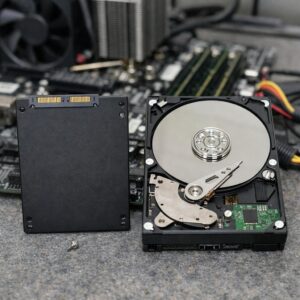

A refurbished computer is worth considering only when you can verify the exact model, current software support, written warranty, return rights and actual condition. If the listing is vague about any of those points, the discount does not justify the risk.
Clear and verifiable
Exact model and specifications, supported operating system, defined condition, written warranty and enough time to test the device.
Important details missing
The price looks reasonable, but battery condition, activation, accessories, returns or the refurbishment process is unclear.
Risk cannot be checked
Vague model, unsupported software, no meaningful returns, unsafe damage or unresolved account, firmware or organization locks.
What “Refurbished” Does—and Does Not—Mean
A refurbished computer may be a customer return, canceled order, demonstration unit, repaired device or former business computer. The word itself does not guarantee a universal inspection process, new battery, original parts or manufacturer warranty.
| Listing term | Typical meaning | What to verify |
|---|---|---|
| Manufacturer refurbished | Processed through the original brand’s outlet or refurbishment program | Published inspection, warranty and return terms |
| Certified or retailer refurbished | Processed under a retailer, marketplace or partner program | What the certification requires and who performs service |
| Seller refurbished | An independent seller decided what to inspect, clean or replace | Exact tests, replacement parts and warranty provider |
| Open box | Opened or returned inventory that may have seen little use | Missing accessories, damage and warranty start date |
| Used or off-lease | Previously operated by an individual or organization | Operating time, wear, ownership locks and return rights |
| As-is | No promise that every function works | Assume repair risk unless the written terms say otherwise |
Screen the Listing Before Comparing Prices
Use this order. It prevents an attractive price from distracting you from a problem that should end the purchase immediately.
Seven-point pre-purchase screen
- Identity: Obtain the full model number or manufacturer part number—not just “Core i5 laptop” or “MacBook Pro.”
- Software support: Confirm official Windows 11 eligibility, current macOS compatibility or the Chromebook Auto Update Expiration date.
- Specifications: Verify the exact processor, RAM, storage type and capacity, display and graphics hardware.
- Ownership: Require confirmation that account locks, organization enrollment and firmware passwords have been removed.
- Condition: Read separate descriptions for cosmetic wear, functional defects and laptop battery health.
- Remedy: Identify who provides the warranty, what it covers and whether the remedy is repair, replacement, credit or refund.
- Exit route: Confirm the return deadline, return-shipping cost, restocking fees and whether normal setup and testing are allowed.
If one of these points cannot be verified, ask the seller in writing. A non-answer is useful information: treat the unknown item as a risk rather than assuming the best.
Check Operating-System Support First
A clean-looking computer can still be a poor purchase if its operating system is no longer receiving normal security support. Check the support path before evaluating speed or storage.
Windows PCs
Ask for the complete processor model and PC model number. Confirm TPM 2.0 and Secure Boot support, then use Microsoft’s official PC Health Check application during the return window.
- Open Settings → System → About and compare the processor and RAM with the listing.
- Open Settings → System → Activation and confirm Windows is activated.
- Run Microsoft PC Health Check. Save a screenshot if its result conflicts with the listing.
- Install Windows and manufacturer updates, restart and check again for important updates.
- Stop if setup requests credentials for a previous company, school or owner.
Mac computers
Identify the exact model and year. Check whether it runs a currently supported macOS release, whether hardware service remains available and whether it is free from Activation Lock and remote management.
- Open About This Mac and compare the model, memory and storage with the listing.
- Confirm current macOS compatibility for that exact model.
- Complete setup far enough to ensure it does not request the previous owner’s Apple Account.
- Check for an unfamiliar Remote Management screen.
- Review battery condition and cycle count on a Mac laptop.
- Check Apple’s service-availability information for older models.
Chromebooks
A Chromebook’s remaining update period may matter more than its cosmetic grade. Find the exact model and check Google’s Auto Update Expiration information.
- Confirm the precise model, not only the brand or screen size.
- Check how long automatic updates remain.
- Review whether extended updates involve feature changes.
- Make sure setup does not force enrollment in a school or company.
- Confirm Google Play and application support if you need those features.
Verify Specifications Against Your Actual Work
Broad labels hide important differences. “Core i5” may refer to processors from many generations, and the same laptop family may have several displays, batteries and upgrade configurations.
| Item | What the listing should identify | Why it matters |
|---|---|---|
| Model | Exact model number or configuration code | Determines age, drivers, parts and upgradeability |
| Processor | Complete CPU name and generation | Affects software support and workload suitability |
| Memory | Installed RAM and whether it is soldered or replaceable | Affects multitasking and future upgrades |
| Storage | SSD or HDD, capacity and interface | Affects responsiveness, space and replacement options |
| Graphics | Exact integrated or dedicated GPU | Essential for gaming, 3D work and some creative software |
| Display | Size, resolution, touch support and panel condition | Affects usability and replacement cost |
| Connectivity | Wi-Fi, Bluetooth, USB, video, network and charging ports | Determines compatibility with your network and accessories |
Practical RAM and storage starting points
| Use | RAM starting point | Storage starting point |
|---|---|---|
| Basic browsing and documents | 8 GB can be usable; 16 GB provides more flexibility | 256 GB SSD with careful file management |
| Work, study and video calls | 16 GB | 512 GB SSD is a balanced target |
| Mainstream gaming | 16 GB or 32 GB according to the games | 1 TB SSD can better accommodate current titles |
| Photo and video work | 16 GB to 32 GB or more | Fast SSD plus separate backup storage |
| Virtual machines or technical work | 32 GB or more according to workload | Capacity based on virtual disks and project files |
These are planning ranges, not universal requirements. Check the requirements for your applications, games, course software and accessories. If memory or storage cannot be upgraded, buy enough capacity at the start.
Evaluate Laptop Battery Health Separately
A laptop can pass every basic function test yet provide poor unplugged runtime. Cosmetic grades rarely tell you the battery’s condition, and a refurbished battery is not necessarily new.
Questions for the seller
- Was battery capacity measured, and on what date?
- What are the design capacity and current full-charge capacity?
- What is the cycle count?
- Is the battery original, replaced or of unknown origin?
- Is battery capacity covered by the warranty?
- What remedy applies if runtime or capacity is below the listing?
- Is a compatible replacement battery still available?
Estimate reported battery capacity
Full Charge Capacity ÷ Design Capacity × 100
For example, if the report shows a full-charge capacity equal to three-quarters of the design capacity, the reported capacity is about 75%. This is not a promise of runtime: screen brightness, workload, temperature and battery calibration also affect how long the laptop lasts.
On Windows, open Command Prompt and enter powercfg /batteryreport. Open the generated HTML file and compare Design Capacity with Full Charge Capacity. On a Mac laptop, review the battery condition and cycle count using Apple’s documented system information steps.
Inspect the Physical Condition
| Area | Ordinary prior-use signs | Warning signs |
|---|---|---|
| Case | Light scratches described by the seller | Cracks, bends, separated panels or missing screws |
| Hinges | Firm, smooth movement | Cracking, looseness or separation from the case |
| Keyboard and trackpad | Normal shine on frequently used surfaces | Missing or repeating keys, sticky residue, lifting trackpad or uneven clicking |
| Display | Wear matching the advertised grade | Cracks, lines, flicker, pressure marks or severe brightness problems |
| Ports | Normal insertion resistance | Loose connectors, bent contacts or intermittent operation |
| Charger | Correct electrical specification and secure fit | Exposed wiring, damaged pins, unusual heat or incorrect wattage |
| Cooling | Normal airflow and moderate fan sound | Grinding, heavy blockage, repeated shutdowns or a burnt smell |
Cosmetic wear may be acceptable when it matches the description and price. Structural damage, swelling, unreliable ports and signs of liquid exposure are different: document them and contact the seller before the return deadline.
Desktop-Specific Checks
Business desktops can be durable and repairable, but compact models often use proprietary power supplies, motherboards, cooling parts or front-panel connectors.
Before buying a refurbished desktop
- Confirm the case size and motherboard format.
- Check whether the power supply uses standard connectors and has enough capacity for planned upgrades.
- Verify available RAM slots, supported memory and maximum capacity.
- Check for available M.2 slots and drive bays.
- Measure graphics-card length, height and cooling clearance if an upgrade is planned.
- Confirm whether Wi-Fi and Bluetooth are included.
- Verify the display outputs you need.
- Check whether replacement power, cooling and mounting parts remain available.
Read the Warranty and Return Policy Separately
A warranty deals with covered faults. A return policy determines whether you can reject a computer that is unsuitable, misdescribed or defective during initial testing. One does not replace the other.
| Question | What should be clear in writing |
|---|---|
| Who provides coverage? | Manufacturer, retailer, refurbisher or separate service company |
| When does it begin and end? | Exact start point and coverage period |
| What is covered? | Computer, display, battery, charger, storage and included accessories |
| What remedy is offered? | Repair, replacement, store credit or refund |
| Who pays shipping? | Costs for both sending and receiving the computer |
| What is excluded? | Cosmetic wear, battery capacity, accidents or named components |
| How long is the return period? | Number of calendar days and whether it begins at purchase, shipment or delivery |
| Are there deductions? | Restocking, inspection, missing-accessory or return-shipping fees |
| Can you test it? | Whether setup, updates and ordinary diagnostic checks are allowed |
Calculate the Complete Cost
Use the ready-to-use cost, not the sticker price
Computer + tax + delivery + required upgrades + missing accessories + immediate service
Include RAM, storage, a correct charger, adapters, battery replacement and installation work that you already know will be necessary. Then compare that total with a newer refurbished configuration and a comparable new computer.
Also consider the value of longer software support, a stronger warranty and reduced downtime. A newer model that needs no immediate work can be the less expensive choice overall even when its purchase price is higher.
Ten Questions to Send the Seller
- What is the complete model number or manufacturer part number?
- Who refurbished the computer?
- Which functions were tested?
- Which parts were replaced, and were they original or compatible third-party parts?
- Does the device officially support current operating-system updates?
- Is the operating system properly activated or licensed?
- What measured battery capacity or minimum battery standard applies?
- Which charger, cables and accessories are included?
- Can the computer be returned after normal setup, updates and testing?
- Who handles warranty claims, and who pays shipping?
Keep the answers with your order records. If the delivered computer differs from them, report the difference in writing.
Red Flags That Should Pause the Purchase
Vague model or processor
Descriptions such as “Intel Core i5” or “gaming PC” prevent proper checks of age, support and performance.
Unsupported or unclear setup
Windows 11 eligibility is not documented, activation is unclear or expensive software appears without valid licensing information.
Account or organization lock
Setup requests a previous owner, school or company account, or the seller cannot remove a firmware password.
Battery or charger risk
Battery condition is omitted, swelling is visible or the supplied charger is damaged or incorrectly rated.
No practical return route
The return period is unclear, fees can consume the refund or the seller will not permit normal testing.
Pressure to leave the platform
The seller asks you to pay outside the marketplace, removing normal transaction records or purchase protections.
What to Test Immediately After Delivery
Start on the day the computer arrives. Photograph the unopened package, shipping damage, device, serial number, charger and accessories. Keep the packaging until you decide to keep the computer.
Test in this order
- Identity: Compare the model, processor, RAM, storage, display and accessories with the order.
- Safety: Look for battery swelling, exposed wiring, liquid residue, burnt smells, cracks and unstable hinges.
- Ownership: Confirm there is no previous-owner lock, organization enrollment or unknown firmware password.
- Activation and updates: Check operating-system activation, then install official system and manufacturer updates.
- Hardware: Test the keyboard, trackpad, screen, camera, microphone, speakers, ports, Wi-Fi, Bluetooth and charger.
- Battery and storage: Review the battery report, confirm drive capacity and copy several files to check basic stability.
- Normal use: Run the applications, video calls, games or projects you actually intend to use.
- Sleep and restart: Test shutdown, restart, sleep, wake and unplugged operation where applicable.
Windows verification steps
- Open Settings → System → About and confirm processor, RAM, system type and Windows edition.
- Open Settings → System → Storage and confirm capacity and available space.
- Open Settings → System → Activation and check for an activated state.
- Run Microsoft PC Health Check to confirm Windows 11 eligibility.
- Install Windows Update and official manufacturer updates.
- Run the manufacturer’s battery, memory and storage diagnostics when available.
- Open Windows Security, update its security intelligence and run a scan.
- Review installed applications for unfamiliar remote-access or business-management tools.
Hardware functions to test
| Test | How to check it | Reason to contact the seller |
|---|---|---|
| Display | View light and dark images at several brightness levels | Undisclosed lines, flicker, pressure marks or severe pixel defects |
| Keyboard and pointing device | Use every key, button, gesture and backlight setting | Missing input, repeated characters or lifting surfaces |
| Camera, microphone and audio | Make a short recording or test call | Distortion, failure or hardware missing from the promised configuration |
| Wi-Fi and Bluetooth | Connect to known networks and an accessory | Repeated disconnections or missing wireless hardware |
| Ports | Test every USB, audio, video, Ethernet and card-reader connection | Loose, damaged or intermittent ports |
| Battery and charging | Charge, unplug and observe normal use | Swelling, unexpected shutdowns or condition below the written promise |
| Cooling | Run a normal workload and listen to the fan | Grinding, repeated thermal shutdowns or a burnt smell |
| Storage | Confirm capacity and copy, open and delete test files | Freezing, corruption, disconnections, clicking or critical warnings |
What to Do When a Check Fails
- Stop adding personal data. Do not keep configuring a computer that may need to be returned.
- Record the evidence. Photograph physical damage and capture screenshots or short videos of repeatable faults.
- Compare with the listing. Identify the exact specification, condition statement or seller message that does not match.
- Contact the seller in writing. State the problem, order number, serial number and remedy you want.
- Protect the deadline. Start the formal return process before the return period expires, even if troubleshooting discussions are continuing.
- Back up before a storage failure worsens. If you have already created files, copy them elsewhere before further testing.
- Reset only at the proper time. Do not erase evidence before documenting the fault. Remove your accounts and data before returning the device.
Keep It or Return It?
Reasonable reasons to keep it
- The identity and specifications match the listing.
- The operating system is supported and activated.
- No ownership or organization controls appear.
- Battery condition meets the written promise.
- All required ports and accessories work.
- Cosmetic condition matches the advertised grade.
- Updates and official diagnostics complete normally.
- Your real workload performs acceptably.
Strong reasons to return it
- An important specification is different.
- Windows 11 is installed on ineligible hardware.
- Activation or licensing is unresolved.
- A previous owner or organization controls the device.
- The battery is swollen or below the promised standard.
- Storage, display, charging or ports are unreliable.
- Structural or liquid damage was not disclosed.
- The seller asks you to accept a defect outside the agreement.
A small cosmetic mark may justify keeping the computer if it matches the grade and does not affect use. An ownership lock, safety issue, unreliable storage or materially different specification is not a minor imperfection.
Who Is a Refurbished Computer Best For?
A well-documented refurbished computer can suit home users, students, remote workers, budget-conscious desktop buyers and people seeking a secondary device. It is most appropriate when the buyer can test it promptly and tolerate the possibility of a return.
A new computer may be the better choice when you need maximum battery life, the latest hardware, several years of manufacturer support, on-site service, accidental-damage coverage or minimal risk of downtime. New may also cost less overall when the refurbished option immediately needs a battery, charger, memory and storage upgrade.
Frequently Asked Questions
Are refurbished computers reliable?
They can be reliable when the exact model is suitable, the refurbishment process is documented, the seller provides a practical remedy and the device passes a complete test. The refurbished label alone does not guarantee reliability.
Is manufacturer refurbished better than seller refurbished?
Manufacturer programs often publish clearer inspection, warranty and service terms. An independent refurbisher can also sell a good computer, but you must verify its process, parts, coverage and return terms separately.
Is open box the same as refurbished?
No. Open box usually means the packaging was opened or the product was returned. Refurbished suggests some inspection, preparation or repair, although sellers define both terms differently.
How old is too old?
There is no universal age limit. Check current operating-system support, application requirements, battery condition, performance, repair-part availability and remaining useful update life.
Should I buy a refurbished Windows 10 computer?
Standard Windows 10 support ended on October 14, 2025. For a normal primary internet-connected PC, verify official Windows 11 eligibility or another legitimate supported use before buying.
Is a new battery normally included?
No. Some programs replace batteries that fail an internal standard, while others include the original battery with reduced capacity. Check the listing, measured condition and warranty.
Must the charger be original?
Not necessarily. A compatible replacement should meet the computer’s required electrical specifications, provide adequate wattage, fit securely and show no damage. Confirm whether the battery and charger are covered.
Can a refurbished computer contain unwanted software?
Yes, if it was prepared improperly. Check ownership, installed applications, updates and security before entering personal credentials. Use official operating-system recovery tools if a clean reset or installation is appropriate.
Can I upgrade it later?
That depends on the exact model. Memory and storage may be replaceable, partly soldered or fully soldered. Check the manufacturer’s service documentation before buying rather than assuming an upgrade is possible.
Can a refurbished computer be good for gaming?
Yes, when the exact processor, graphics hardware, RAM, storage, cooling and power supply meet the games’ requirements. The word “gaming” is not a useful specification by itself.
Related Joma PC Guides
Final Takeaway
A refurbished computer is a sensible purchase when its identity, support status, condition and remedy are all clear. Verify the exact model and specifications, calculate the cost of necessary upgrades, read the warranty and return policy, and test the computer as soon as it arrives.
Do not accept an unsupported operating system, unresolved ownership lock, swollen battery, materially different specification or unreliable storage simply because the price was low. Document the problem and begin the return process before the deadline.
Official resources consulted
- Microsoft Support: Windows 10 support ended on October 14, 2025
- Microsoft Support: Windows 11 system requirements
- Microsoft Support: How to use the PC Health Check app
- Microsoft Support: Activate Windows and check activation status
- Microsoft Support: Caring for your battery in Windows
- Apple: About Apple Certified Refurbished products
- Apple Support: Activation Lock for Mac
- Apple Support: Determine battery cycle count for Mac laptops
- Apple Support: Service availability after warranty expiration
- Google Chromebook Help: Check the automatic update schedule
- U.S. Federal Trade Commission: Understanding written warranties
- Dell Outlet: Refurbishment, warranty and return information

The Joma PC Editorial Team publishes practical guides about choosing computers, troubleshooting PC problems, software, online security, and everyday computer use. Articles are edited for clarity, factual accuracy, and practical usefulness.