Effective computer security does not come from one antivirus application or one perfect setting. It comes from several practical layers that reduce the chance of infection, protect important accounts and limit the damage when something goes wrong.
Malware can arrive through deceptive downloads, phishing messages, compromised accounts, unsafe browser extensions, unpatched applications, fraudulent support calls and removable storage.
Not every threat looks like an obvious virus. Some malicious programs quietly steal passwords, display unwanted advertisements, encrypt files, record activity or give another person remote control of the computer.
Disconnect the computer from Wi-Fi, Ethernet and external storage when files are being encrypted, accounts are being controlled, an unknown person has remote access or malware appears to be spreading. Do not continue entering passwords on the affected computer.
Install security fixes for Windows, browsers, applications and supported device firmware.
Keep antivirus, firewall and reputation-based protection active.
Check websites, senders, publishers, files and unexpected requests before acting.
Maintain tested backups and secure account-recovery information.
Understand the Main Types of Online Threats
File-infecting malware
Malicious code that attaches to files or programs and may spread when the infected content is opened.
Disguised malicious software
A program that appears useful or legitimate but performs harmful actions after installation.
Ransomware
Malware that encrypts files, locks systems or steals data and then demands payment.
Credential theft
Software designed to capture passwords, browser sessions, cookies, payment details or cryptocurrency information.
Spyware
Software that secretly monitors activity, collects information or sends data to another party.
Remote-access malware
Gives an attacker control over files, applications, camera, microphone or other parts of the computer.
Potentially unwanted apps
Programs that may display unexpected advertising, change settings or install additional software you did not request.
Phishing
Messages and websites that imitate trusted organizations to steal credentials, money or verification codes.
Technical-support fraud
Fake warnings or callers that claim the computer is infected and request payment or remote access.
Build a Practical Security Baseline
Four protections every Windows PC should have
Review these areas before installing additional security products or troubleshooting individual threats.
Windows, browsers and applications still receiving security updates.
One compatible antivirus with real-time protection and current intelligence.
Unique passwords, secure recovery options and MFA where available.
Backups stored separately and tested before an emergency occurs.
Check the Windows Security Dashboard
Windows Security brings together Microsoft Defender Antivirus, Windows Firewall, reputation-based protection, device-security information and other protection areas.
1 Open Windows Security
- Open the Start menu.
- Search for Windows Security.
- Open the application.
- Review every displayed protection area.
- Open any section showing a warning or action required.
- Confirm that the displayed security provider is recognized and active.
Displays antivirus status, scan options, security-intelligence updates, ransomware settings and detected threats.
Shows the active network profile and whether Windows Firewall is protecting the connection.
Provides access to SmartScreen, reputation-based protection and supported application controls.
Shows recent actions, detected threats, blocked applications and important security events.
Displays supported security features such as Secure Boot, TPM and core-isolation information.
Provides access to supported sign-in and identity-protection settings.
Keep One Real-Time Antivirus Active
Microsoft Defender Antivirus is integrated with current Windows systems. Compatible third-party security products can also provide real-time protection, but the system should not be left without an active provider.
- One recognized real-time antivirus is active.
- Security intelligence is current.
- Important Windows protections are enabled.
- Alerts are reviewed rather than automatically ignored.
- Security software comes from an official source.
- The subscription status is understood.
- Several full antivirus engines scan the PC simultaneously.
- Protection was disabled to install unknown software.
- The security product has expired silently.
- Fake browser alerts are mistaken for antivirus warnings.
- Cracked or modified security software is installed.
- Important detections are allowed without investigation.
Choose the Correct Type of Malware Scan
There is no universal rule requiring every home user to run a complete scan on the same monthly schedule. Select the scan according to the situation and the guidance from your active security provider.
| Scan type | What it does | When it may be useful |
|---|---|---|
| Quick scan | Checks common locations where threats are likely to start | Routine concern or initial check |
| Full scan | Checks files and running programs across the system | When a broader inspection is justified |
| Custom scan | Checks a selected file, folder or drive | A specific download or removable drive is suspicious |
| Microsoft Defender Offline | Restarts into a separate recovery environment and scans outside normal Windows | Persistent malware or a threat that interferes with normal scanning |
2 Run a Windows Security Scan
- Open Windows Security.
- Select Virus & threat protection.
- Use Quick scan for an initial check.
- Select Scan options when another scan type is required.
- Save open work before choosing Microsoft Defender Offline.
- Review the result in Protection history.
Install Security Updates Promptly
Security updates correct known flaws in operating systems, browsers and applications. Delaying updates can leave a computer exposed to problems that the software publisher has already addressed.
Software that should remain updated
- Windows and built-in security components
- Your primary web browser
- Microsoft 365 or other office applications
- PDF readers and document tools
- Messaging and video-meeting applications
- Cloud-storage and synchronization software
- Password-manager applications and extensions
- Graphics drivers from the computer or component manufacturer
- Supported router firmware
- Computer BIOS or firmware when provided for the exact model
3 Check Windows Update
- Open Settings.
- Select Windows Update.
- Select Check for updates.
- Install available security and quality updates.
- Restart when requested.
- Check again after restarting until important updates are complete.
Download Software Safely
A familiar application name does not prove that the download page is legitimate. Search results, advertisements and imitation websites can direct users to modified installers.
Before downloading an application
- Identify the software’s official publisher.
- Open the publisher’s official website or verified app-store listing.
- Check the website address carefully.
- Confirm that the download matches your operating system.
- Read the installer screens instead of accepting every optional offer.
- Reject toolbars, browser changes and unrelated bundled applications.
- Do not use cracks, key generators or modified activation tools.
- Scan unexpected files before opening them.
- Keep SmartScreen or equivalent reputation protection enabled.
- Stop when the installer asks you to disable security without a credible explanation.
- Publisher identity is clear.
- The site uses the company’s expected domain.
- System requirements and release notes are available.
- The installer has a valid, expected signature.
- Uninstallation and support information are documented.
- Several misleading download buttons appear.
- The file comes from an unrelated domain.
- The page promises paid software for free.
- The installer adds unrelated programs.
- Security protection must be disabled.
- The publisher cannot be identified.
Protect Yourself From Phishing
Phishing attempts often imitate banks, delivery companies, employers, cloud services, government agencies or people you know. The message attempts to create urgency before you verify the request.
Three questions to ask before acting
Pause when a message requests a password, payment, download or immediate account action.
Check the complete address, account and communication channel—not only the displayed name or logo.
Inspect the real destination and open important accounts through a trusted bookmark or official application.
Be suspicious of unexpected files, remote access, verification codes, secrecy or urgent payment demands.
Common phishing warning signs
- The message creates unusual urgency or fear.
- The sender address differs from the displayed organization.
- A login link uses an unfamiliar domain.
- The attachment was not expected.
- The message asks for a password or verification code.
- Payment must be made through gift cards, cryptocurrency or an unusual transfer.
- The sender asks you to keep the request secret.
- A familiar contact suddenly sends a strange file or payment request.
- The document asks you to enable editing, content or macros.
- An MFA approval appears when you are not signing in.
Be careful with Microsoft Office attachments
Files downloaded from the internet or received as attachments may open in Protected View. This read-only mode restricts editing and potentially unsafe content.
Recognize Fake Virus and Support Warnings
A webpage cannot reliably diagnose the entire computer merely because it displayed an alarming animation, siren, countdown or full-screen message.
4 Close a Suspicious Browser Warning
- Do not click buttons inside the warning.
- Do not call the displayed number.
- Try closing the browser tab or window.
- If it will not close, press Ctrl + Shift + Esc.
- Use Task Manager to close the web browser.
- Reopen the browser without restoring the suspicious page.
- Open Windows Security directly and run a scan when concerned.
- Review browser notifications and remove permission from the suspicious site.
Support scam warning signs
- An unsolicited caller says your computer is infected.
- A pop-up orders you not to turn off the device.
- The person requests remote control immediately.
- Ordinary Windows logs are presented as proof of infection.
- The caller asks for bank access while “processing a refund.”
- You are told to move money for protection.
- Payment is requested through gift cards or cryptocurrency.
- The person asks for an MFA or bank verification code.
- You are told not to speak with family, the bank or law enforcement.
Secure Passwords and Important Accounts
Malware protection and account protection are connected. A stolen browser session or reused password may allow an attacker to access email and cloud files even after malicious software is removed.
An exposed password from one service should not unlock email, shopping, banking or cloud accounts.
A reputable manager can generate, store and autofill long, unpredictable credentials.
MFA adds another verification step and reduces the risk created by a stolen password.
Supported passkeys use cryptographic authentication connected to the legitimate service.
Keep recovery email, phone numbers, trusted devices and emergency codes current and secure.
Email often receives password resets and security notifications for many other accounts.
Priority order after a possible password theft
- Primary email account
- Password-manager account
- Banking and payment services
- Cloud-storage and device accounts
- Work or school accounts
- Shopping accounts with saved payment details
- Social networks and messaging services
- Any account using the same or a similar password
Keep the Browser and Extensions Under Control
The browser handles websites, downloads, authentication and stored account sessions. Unnecessary extensions increase the number of programs that can access browsing activity.
Browser security checklist
- Keep the browser updated.
- Leave phishing and download-protection features enabled.
- Install extensions only from the browser’s official store.
- Check the extension’s publisher and requested permissions.
- Remove extensions you no longer use.
- Review which websites can send notifications.
- Block notification permission from suspicious sites.
- Review camera, microphone and location permissions.
- Do not install extensions to watch pirated content or bypass licensing.
- Sign out of important accounts on shared computers.
| Extension permission | Why it matters |
|---|---|
| Read and change data on websites | The extension may be able to view or alter information on pages you visit. |
| Manage downloads | It may monitor or influence files downloaded through the browser. |
| Access browsing history | It may see websites and pages you have visited. |
| Manage other extensions | This is a powerful permission that needs a clear reason. |
| Run in private browsing | The extension may remain active during private or incognito sessions. |
Protect Against Ransomware With Recoverable Backups
Antivirus and ransomware controls help reduce risk, but backups provide a separate recovery path after encryption, deletion, corruption, theft or hardware failure.
A useful backup system needs three qualities
A file copy is valuable only when it is current, protected and capable of being restored.
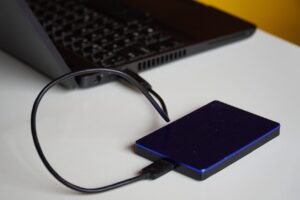
At least one copy should not remain continuously exposed to the same computer and malware.
Previous file versions help when current copies are encrypted, overwritten or corrupted.
Restore selected files periodically to confirm that the backup can actually be used.
Backup options for a home PC
- Windows Backup or OneDrive folder backup for supported folders
- Version history provided by a compatible cloud service
- File History using an external drive or supported network location
- A second external drive stored separately
- A dedicated backup application from a reputable publisher
- Manual offline copies of irreplaceable files
Use Windows Ransomware Protection Carefully
Controlled Folder Access can help prevent unknown or untrusted applications from modifying files inside protected folders.
5 Review Controlled Folder Access
- Open Windows Security.
- Select Virus & threat protection.
- Open Manage ransomware protection.
- Review Controlled folder access.
- Understand which folders are protected.
- Review blocked-app notifications carefully.
- Allow an application only after verifying its publisher and purpose.
Secure Home and Public Network Connections
Windows Firewall helps filter network traffic and should normally remain enabled. Public networks should use a more restrictive profile than a trusted private home network.
Home-network checklist
- Change the router’s default administrator password.
- Use a strong and unique Wi-Fi password.
- Use WPA2 or WPA3 when supported.
- Install router firmware updates from the manufacturer.
- Disable remote administration when it is not required.
- Review unfamiliar connected devices.
- Use a guest network for visitors when available.
- Consider separating less-trusted smart devices from primary computers.
- Replace a router that no longer receives security updates.
Public-network checklist
- Select the Public network profile in Windows.
- Keep Windows Firewall enabled.
- Avoid sharing folders or printers unnecessarily.
- Verify the network name with the venue.
- Prefer official applications and encrypted websites.
- Do not accept unexpected device-discovery requests.
- Use your mobile connection for highly sensitive activity when practical.
- Use only a trusted VPN when your work or security requirements justify it.
Be Careful With Remote-Access Software
Legitimate remote-access tools are used by workplaces and support providers, but scammers also use them to control victims’ computers.
- You initiated contact through an official channel.
- The organization and technician can be verified.
- The purpose and duration are clear.
- You can see what is being done.
- No banking password or verification code is requested.
- The session ends and access is removed afterward.
- The caller contacted you unexpectedly.
- A browser pop-up supplied the number.
- You are told the PC has thousands of errors.
- The person asks you to open your bank account.
- Payment or a refund requires remote access.
- You are told to ignore warnings from Windows or the bank.
Signs That May Justify a Malware Check
The symptoms below can occur with malware, but they can also result from ordinary software, storage, memory, browser or hardware problems.
| Symptom | Possible explanations | First response |
|---|---|---|
| Unexpected browser redirects | Malicious extension, notification permission, adware or changed browser settings | Review extensions, notifications and run a scan |
| Unknown applications appear | Bundled installer, another user, unwanted software or malware | Verify publisher and installation date |
| Security protection is disabled | Expired software, configuration, third-party product or malware | Open Windows Security and investigate immediately |
| Passwords stop working | Account compromise, password change or service issue | Use a trusted device and official recovery process |
| Files gain strange extensions | Ransomware, application changes or file corruption | Disconnect the PC and external storage |
| Webcam activates unexpectedly | Legitimate application, browser permission or unauthorized access | Close apps, review permissions and scan |
| Computer becomes slow | Updates, startup apps, low storage, heat, failing hardware or malware | Check Task Manager and system health |
| Frequent pop-ups | Website notifications, adware, browser extensions or scam pages | Do not call displayed numbers; inspect the browser |
| Unknown remote-control cursor movement | Remote-access session, compromised tool or hardware issue | Disconnect the network and shut down if necessary |
What to Do When You Open a Suspicious File
6 Respond Without Making the Situation Worse
- Stop interacting with the file or installer.
- Do not enter passwords or payment information.
- Disconnect the network when suspicious activity begins.
- Do not connect backup drives.
- Record the file name, source and time it was opened.
- Run the active security provider’s scan.
- Review Protection History and any detected actions.
- Use Microsoft Defender Offline when persistent malware is suspected.
- Change important passwords from a trusted device when credentials may be exposed.
- Seek qualified help when the system remains unstable or controlled.
What to Do When Infection Is Suspected
A safe incident-response order
Protect active data and accounts before attempting random repairs.
Disconnect networks and removable storage when damage or unauthorized access is active.
Save screenshots, error messages, file names and suspicious communications.
Use the installed security provider and appropriate scan options.
Use a separate trusted device to protect email, banking and cloud accounts.
Restore from known-good backups only after the system is considered trustworthy.
Review account sessions, transactions, alerts and device activity after recovery.
Account checks after a possible compromise
- Review recent sign-ins and connected devices.
- Sign out unknown sessions.
- Change exposed passwords.
- Replace reused passwords on other services.
- Review MFA methods and trusted devices.
- Generate new recovery codes when necessary.
- Check email forwarding and filtering rules.
- Review cloud-file sharing permissions.
- Check banking and payment transactions.
- Contact the real provider through an official channel.
When a Clean Windows Installation May Be Safer
Some incidents cannot be resolved confidently by deleting one file. Reinstalling or resetting Windows may be appropriate when:
- Malware returns after removal.
- Security applications cannot start or update.
- Unknown administrator accounts remain.
- Remote-control tools repeatedly reappear.
- Important Windows files have been altered.
- The source and extent of the compromise are unclear.
- The computer handled highly sensitive information during the incident.
- A qualified technician recommends rebuilding the system.
Before resetting or reinstalling
- Save necessary documents without copying suspicious programs.
- Confirm that backups existed before the infection when possible.
- Record the Windows edition and activation status.
- Save BitLocker or device-encryption recovery information.
- Obtain installation media from Microsoft.
- Collect official drivers for the exact computer model.
- Secure important accounts from another device.
- Preserve evidence required by an employer, bank or law enforcement.
Security Habits for Shared and Family Computers
Reduce risk on a shared PC
- Create a separate Windows account for each regular user.
- Require a PIN, password or Windows Hello sign-in.
- Lock the screen when leaving the computer.
- Do not share the password-manager master password.
- Keep administrator access limited.
- Review installed applications periodically.
- Use supported family and parental controls when appropriate.
- Teach users not to approve unexpected downloads or MFA requests.
- Keep personal banking activity separate from unknown downloads.
- Maintain backups for every user’s important files.
Common Computer-Security Mistakes
Monthly Security Review Without Arbitrary Full Scans
A brief recurring review is more useful than running one fixed scan while ignoring expired software, failed backups and account warnings.
Practical security review
- Confirm that Windows Update is working.
- Review Windows Security for warnings.
- Confirm that one antivirus provider is active.
- Review recent Protection History entries.
- Remove applications and extensions you no longer use.
- Check whether the browser is updated.
- Review important account sign-ins.
- Confirm that MFA recovery methods remain available.
- Verify that backups completed successfully.
- Restore a sample file periodically.
- Review unknown devices connected to the home network.
- Run an appropriate scan when a warning, exposure or suspicious event justifies it.
Frequently Asked Questions
Is Microsoft Defender Antivirus enough for a home PC?
It provides integrated real-time malware protection and works with Windows Firewall, SmartScreen and other Windows security features. Whether you need another product depends on your devices, required support and any additional services you genuinely use.
Should I run a full virus scan every month?
There is no universal schedule for every user. Keep real-time protection active and current, then choose quick, full, custom or offline scans according to the concern and your security provider’s guidance.
Can malware infect a computer without downloading a program?
Threats can arrive through malicious documents, browser exploits, compromised extensions, removable media, account sessions and deceptive commands. Updates and layered protection reduce these paths.
Does a slow PC mean it has malware?
No. Low storage, startup programs, updates, insufficient memory, overheating and hardware problems can also cause slow performance. Check system resources and run a trusted security scan rather than assuming the cause.
Can a website detect viruses on my computer?
A website may inspect limited browser information, but an alarming webpage cannot reliably diagnose the entire computer. Do not call numbers or install software promoted by unsolicited pop-ups.
Should I allow a file blocked by SmartScreen?
Investigate why it was blocked. Confirm the publisher, official source, signature and necessity before overriding the warning. Do not allow it merely because a website says the block is a mistake.
Can two antivirus programs provide double protection?
Running two full real-time antivirus engines can create conflicts and duplicated scanning. Use one compatible primary provider unless the publishers explicitly document another supported arrangement.
Does MFA guarantee that my account is safe?
No. MFA significantly improves protection, but users can still approve fraudulent prompts, reveal codes or lose an authenticated session. Use the strongest supported method and reject requests you did not initiate.
Is public Wi-Fi safe when I use a VPN?
A trusted VPN can protect traffic between your device and its service, but it does not make phishing pages, unsafe downloads or compromised accounts harmless. Keep the firewall and other security protections active.
Will cloud storage protect me from ransomware?
Cloud version history and ransomware-recovery features can help, but synchronized damage may still affect current files. Maintain separate recoverable copies and understand the provider’s retention rules.
Should I pay a ransomware demand?
Payment does not guarantee that files will be restored or stolen data deleted. Isolate the device, preserve evidence, contact appropriate authorities or professional support and evaluate recovery from clean backups.
Can I remove malware by resetting the browser?
A browser reset may remove unwanted settings or extensions, but it cannot reliably remove malware installed elsewhere in Windows. Use a trusted security scan and investigate the complete system.
When should I use Microsoft Defender Offline?
It may be appropriate when persistent malware is suspected or a threat interferes with scanning inside normal Windows. Save open work because the computer restarts into a separate scanning environment.
Should I change passwords after removing malware?
Change important credentials when password theft or browser-session exposure is possible. Use a separate trusted device or wait until the affected computer has been cleaned or rebuilt.
Related Joma PC Guides
Final Takeaway
Computer security works best as a group of layers. Keep supported software updated, maintain one active antivirus, leave the firewall and reputation-based protections enabled, and install applications only from trusted sources.
Treat unexpected messages, attachments, downloads, verification requests and technical-support warnings with caution. Protect every important account with a unique password, use a password manager and enable strong MFA or passkeys when available.
Maintain backups that are separate, versioned and tested. When active malware, ransomware or remote access is suspected, disconnect the computer, protect accounts from a trusted device and avoid connecting healthy backup storage until the system is safe.
Official resources consulted
- CISA: Secure Our World
- CISA: Turn On Multifactor Authentication
- CISA: Use a Password Manager to Create and Remember Strong Passwords
- CISA: StopRansomware Guide
- Microsoft Support: Stay Protected With the Windows Security App
- Microsoft Support: Virus and Threat Protection in Windows Security
- Microsoft Support: App and Browser Control in Windows Security
- Microsoft Support: Protection History in Windows Security
- Microsoft Support: Protect Your PC From Unwanted Software
- Microsoft Support: Firewall and Network Protection
- Microsoft Support: Back Up and Restore With Windows Backup
- Microsoft Support: Backup and Restore With File History
- Microsoft Support: What Is Protected View?
- Federal Trade Commission: Malware Protection, Detection and Removal
- Federal Trade Commission: How to Spot and Avoid Tech Support Scams

The Joma PC Editorial Team publishes practical guides about choosing computers, troubleshooting PC problems, software, online security, and everyday computer use. Articles are edited for clarity, factual accuracy, and practical usefulness.